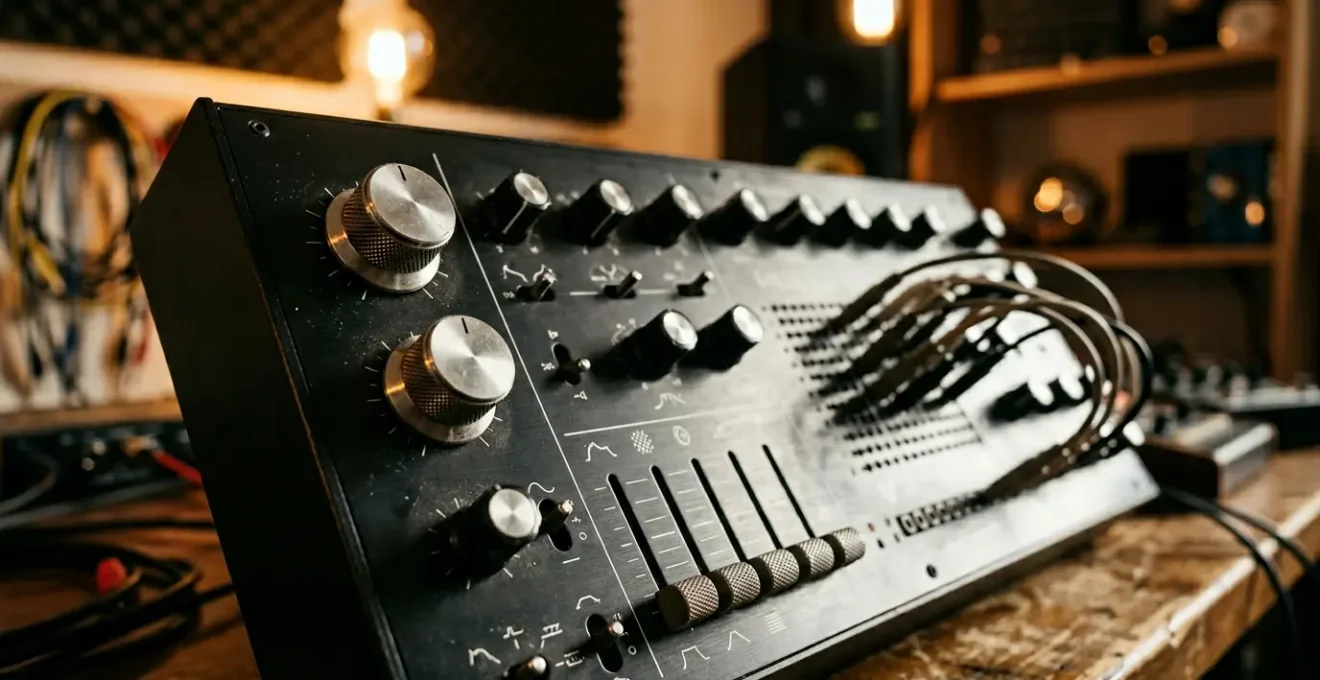
The problem isn’t your synthesizer; it’s that you’re trying to find good sounds instead of building them from first principles.
- Professional, unique sounds emerge from a deep understanding of the fundamental signal flow, a framework that hasn’t changed in over 60 years.
- Relying on presets, even as a starting point, actively prevents you from developing the muscle memory and mental models needed for true sound design.
Recommendation: Stop tweaking presets and start mastering the non-negotiable building blocks of synthesis: the oscillator, the filter, and the envelope.
You know the feeling. You’ve invested in the same highly-rated VSTs, maybe even a piece of hardware that your favourite producer swears by. You sit down, ready to create, and scroll through hundreds of expertly crafted presets. You find one that’s ‘close enough’, tweak it for an hour, drown it in reverb, and end up with a sound that’s competent but utterly generic. It lacks a signature, an identity. It doesn’t sound like *you*. Meanwhile, professionals seem to conjure unique, expressive and powerful sounds from the very same tools.
The common advice is to « learn your synth » or « reverse-engineer presets, » but this often leads to more frustration. The truth is, the gap between amateur and professional sound design isn’t about knowing every feature of a synth. It’s not about having more plugins or a more expensive controller. The secret lies in a fundamental shift in mindset: from being a sound *user* to a sound *architect*. This involves stepping back from the endless features and focusing on the unchangeable laws that govern how synthesizers create sound.
But what if the key wasn’t in the complexity of modern synths, but in the elegant simplicity of their core components? What if, by mastering a few foundational concepts, you could unlock the full potential of any synthesizer, hardware or software, that you ever touch? This isn’t about memorising functions; it’s about understanding the timeless signal path that is the DNA of almost every synth ever made. This is how you stop modifying other people’s sounds and start creating your own.
This article will guide you through that foundational knowledge. We will deconstruct the habits that keep your sounds sterile and build up the core skills that allow for true sonic expression. From understanding the primordial role of subtractive synthesis to learning how to add analog-style warmth to your digital tracks, you will gain a new framework for interacting with your instruments.
Contents: Deconstructing the Art of Synthesis
- Why Must You Understand Subtractive Synthesis Before Moving to Other Methods?
- How to Create Patches That Sound Like You Instead of Preset Modifications?
- Hardware Synth or Plugin: Which Investment Better Develops Your Sound Design Skills?
- The Preset Habit That Keeps You From Ever Understanding Your Synthesizer
- Which Synthesis Parameters Should You Master First for Immediate Creative Results?
- How to Make Your Digital Synths Sound Warm Without Spending £5,000 on Hardware?
- Why Does Your Controller Collect Dust Despite Being Technically Capable?
- Why Do Your Digital Productions Sound Sterile Despite Using the Same Plugins as Professionals?
Why Must You Understand Subtractive Synthesis Before Moving to Other Methods?
In a world of FM, wavetable, granular, and additive synthesis, focusing on the « old » method of subtractive synthesis can feel like a step backwards. Yet, it is the single most important foundation you can build. Why? Because subtractive synthesis isn’t just a method; it’s the « Latin » of the synthesis world. It establishes the core concepts and vocabulary—Oscillator, Filter, Amplifier—that are present in almost every other type of synthesis. As synth educator Carr notes, the secret is that over 99% of synthesizers use the same fundamental building blocks. Mastering them in their purest form makes learning everything else exponentially easier.
Think of it as a signal flow mentality. The sound begins at the Voltage-Controlled Oscillator (VCO), which generates a harmonically rich waveform (like a sawtooth or square wave). This is your raw block of marble. Next, the signal flows to the Voltage-Controlled Filter (VCF), which, like a sculptor’s chisel, carves away frequencies to shape the sound’s timbre and character. This is where a harsh buzz becomes a soft pad or a sharp lead. Finally, the sculpted signal goes to the Voltage-Controlled Amplifier (VCA), which dictates its volume over time, usually controlled by an ADSR envelope. This determines if the sound is a short, percussive pluck or a long, evolving drone.
Understanding this VCO → VCF → VCA path is non-negotiable. Every time you touch a synth, you should be visualising this flow. It provides a mental map that prevents you from getting lost in a sea of knobs and menus. Before you worry about complex modulation matrices or multi-stage envelopes, you must intuitively grasp how these three core components interact. It is the universal language that unlocks every synth, from a vintage Minimoog to a complex VST like Serum.
Once this pathway is ingrained in your mind, you are no longer randomly tweaking; you are making intentional, architectural decisions about your sound.
How to Create Patches That Sound Like You Instead of Preset Modifications?
The path to a unique sonic identity begins the moment you decide to become a creator, not a curator. Presets are other people’s sonic solutions to their musical problems. To find *your* voice, you must start with a blank canvas: the « init patch » (initialised patch). It may seem daunting, a silent and empty slate, but it is the most powerful starting point for originality. It forces you to make conscious choices from the very first oscillator waveform, rather than reacting to a sound that is already 90% complete. This hands-on, from-the-ground-up approach is where your personal taste and style are forged.
This philosophy isn’t just for purists; it’s built into the DNA of some of the most powerful tools available. Consider the design philosophy of Serum, one of the world’s most popular soft synths. Creator Steve Duda deliberately curated a smaller preset library than he could have, because he considered Serum a « programmer’s synth. » He believed that most users would, and should, make their own sounds. This is a powerful message: the tools themselves are often designed with the expectation that you will move beyond the factory sounds to develop your own sonic signature.
Building from an init patch transforms your relationship with the instrument. You are no longer just tweaking the surface—the filter cutoff, the reverb amount—you are building the core harmonic structure and dynamic behaviour. Your first few patches will likely be simple, maybe even « bad. » This is a crucial part of the process. It’s through creating a hundred simple, functional bass, lead, and pad sounds from scratch that you develop the muscle memory and aural intuition to know exactly which parameter to reach for to translate the sound in your head into reality.
This isn’t about avoiding presets forever, but about earning the right to use them as analytical tools rather than creative crutches.
Hardware Synth or Plugin: Which Investment Better Develops Your Sound Design Skills?
The debate between hardware and software is endless, but when viewed through the lens of *learning* sound design, the distinctions become clearer. While software plugins offer near-infinite possibilities and instant recall within a project, this very limitlessness can be a trap for a developing musician. The « tyranny of choice » can lead to decision paralysis and an over-reliance on presets. A physical hardware synthesizer, by contrast, often imposes limitations that are, paradoxically, creatively liberating and highly educational.
The key difference lies in the tactile connection and commitment. A hardware synth with a « one-knob-per-function » layout builds a direct, physical link between an action (twisting a knob) and a sonic result. This creates powerful muscle memory. You’re not just moving a mouse pointer over a digital graphic of a knob; you are physically manipulating the instrument. Furthermore, the significant financial investment in a piece of hardware creates a psychological commitment to master it. You are less likely to abandon it at the first sign of difficulty, forcing a deeper, more rewarding learning process.
This doesn’t mean software is inherently worse for learning, but it requires more discipline to approach it with the same focus. A well-chosen hardware synth forces you to learn its signal path inside and out, a skill that is then transferable to any plugin. The following table breaks down the impact of each format on the learning process, based on an analysis of their core differences.
| Factor | Hardware Synth | Software Plugin |
|---|---|---|
| Tactile Feedback | One-knob-per-function builds muscle memory and intuitive understanding | Mouse-based tweaking can feel uninspiring and slow down creative flow |
| Cognitive Load | Reduced menu-diving allows flow state learning | Near-infinite possibilities can induce decision paralysis |
| Financial Commitment | Significant investment creates psychological commitment to mastery | Low/zero cost creates easy abandonment at first difficulty |
| Workflow Speed | Immediate hands-on control speeds up experimentation | More flexible for complex routing and total recall in studio work |
| Learning Curve | Forces focused exploration of limited parameters | Tyranny of choice with millions of presets can cause creative freeze |
The ideal path may be a hybrid one: learning the fundamentals on a simple, hands-on piece of gear, then applying that deep knowledge to the boundless world of software.
The Preset Habit That Keeps You From Ever Understanding Your Synthesizer
The reliance on presets isn’t a new phenomenon; it’s a behaviour pattern with a long history. The classic example is the Yamaha DX7. Released in 1983, it was notoriously difficult to program but came with a bank of iconic sounds. As a result, the Yamaha DX7 sold over 200,000 units, making it a blockbuster success. The vast majority of those users never once programmed a patch from scratch. The sound of 80s pop music was, in many ways, the sound of the DX7’s factory presets. This created a generation of musicians who were expert *users* of the synth, but not expert *programmers*. They were dependent on the vision of the original sound designers.
This is the core of the preset habit: it encourages passive consumption over active creation. When you scroll through a preset list, you are effectively « auditioning » finished ideas. Your brain switches to a critical, judgmental mode (« Is this good enough? ») rather than a creative, exploratory one (« What can I build? »). It keeps you on the surface of the instrument, forever a tourist in a city where you could be an architect. You learn where the filter knob is, but you never learn *why* adjusting it in a certain way, in combination with a specific envelope shape, creates a feeling of tension and release.
Breaking this dependency requires a conscious and structured effort. It’s not enough to simply say « I’ll start with a blank patch. » You need a method to turn your existing habit into a learning opportunity. The most effective method is active reverse-engineering, a process of deconstruction that forces you to understand the « why » behind a sound you already like. This exercise bridges the gap between passively using a preset and actively creating a sound from scratch.
Your Action Plan: The Preset Deconstruction Exercise
- Load a preset you like on your synthesizer. Play it and internalise its core character.
- Open a separate instance with an init patch (a blank slate) right next to it.
- Try to rebuild the preset from scratch, parameter by parameter. Start with the oscillators, then the filter, then the envelopes, listening carefully at each stage.
- As you match a parameter, make a mental or physical note of what it does and how it contributes to the final sound.
- This process transforms passive consumption into active reverse-engineering, forcing you to learn the sonic function of each parameter.
By doing this regularly, you build a mental library of « cause and effect » that will eventually make starting from an init patch feel not daunting, but empowering.
Which Synthesis Parameters Should You Master First for Immediate Creative Results?
When faced with an init patch, the first instinct is often to focus on the oscillators—choosing waveforms, tuning, and mixing them. While this is the source of the raw sound, it is not where the most dramatic and immediate creative transformation happens. The single most impactful parameter for turning a static, amateurish buzz into a dynamic, professional patch is the Filter Envelope Amount. This control, often labelled « Envelope Depth, » « Contour, » or « Env Mod, » dictates how much the filter’s ADSR envelope affects the filter cutoff frequency.
A static sound is a boring sound. The essence of almost every classic synthesizer patch—from a punchy bass to a sweeping pad—is movement. The Filter Envelope Amount is the primary tool for creating this movement. A high amount will cause the filter to open and close dramatically, creating the « wow » or « pluck » sound characteristic of funk basses and acid lines. A lower amount will create a more subtle swell, perfect for gentle pads that slowly evolve. Setting it to zero leaves the filter static and lifeless, a hallmark of beginner patches.
As detailed in an in-depth analysis of subtractive synthesis, the interplay between the static Filter Cutoff knob and the dynamic Filter Envelope Amount is the secret to expressive sound design. Your process should be: 1. Set the initial brightness with the main Cutoff knob. This is your baseline. 2. Use the Filter Envelope Amount to add movement and character *around* that baseline. Mastering this relationship is more important than knowing a dozen different oscillator types. It’s the difference between a sound that simply « exists » and a sound that « speaks. »
Before you touch another LFO or effect, spend an hour just playing with the Filter Cutoff, the Filter Envelope (ADSR), and the Filter Envelope Amount. This trio is the heart of expressive synthesis.
How to Make Your Digital Synths Sound Warm Without Spending £5,000 on Hardware?
One of the most common complaints about digital productions is that they can sound « cold, » « sterile, » or « too perfect » compared to their analog counterparts. The quest for « analog warmth » leads many down an expensive path of buying vintage gear or high-end summing mixers. However, this warmth is not some magic mojo exclusive to hardware. It is the result of a collection of very subtle, and replicable, imperfections. True analog circuits are not perfectly stable; they have tiny, constant fluctuations in pitch, filtering, and timing.
The key to achieving this warmth in the digital domain is to stop thinking of « warmth » as a single effect or plugin, and instead think of it as the sum of multiple, almost-imperceptible, non-linear behaviours. According to mastering engineer Avoure, the preference for analog comes from the fact that analog signals have slight nonlinearities and unpredictability, which our ears perceive as more organic and pleasing. The secret is to recreate this unpredictability intentionally using the precision tools inside your digital synth. The goal is not an obvious « wobble, » but a subliminal sense of life and movement that tricks the brain into perceiving the sound as organic.
You can achieve this by layering several subtle, slow-moving modulations. Each modulation on its own should be barely noticeable, but together they create a complex, non-repeating sense of movement that mimics the behaviour of analog components. This is the recipe for digital warmth:
- Apply a subtle, slow LFO (0.1-0.3 Hz) to the oscillator’s fine-tune parameter. This creates a gentle pitch drift, mimicking the instability of an analog oscillator.
- Add another very subtle, non-synced LFO at a different rate to the filter cutoff. This creates organic movement in the timbre.
- Introduce tiny, random variations in envelope attack or decay times using a random modulator or a noise source mapped at a very low depth.
- Layer these micro-imperfections. Warmth is not a single button, but the combination of multiple subtle, analog-like behaviours.
- Keep all modulation depths extremely low (1-5%). The goal is a subliminal, organic feel, not an obvious chorus or vibrato effect.
This approach is far more powerful and educational than simply slapping a « vintage warmer » plugin on your track and hoping for the best.
Why Does Your Controller Collect Dust Despite Being Technically Capable?
You bought a MIDI controller with plenty of knobs and faders, imagining yourself performing expressive filter sweeps and tweaking sounds on the fly. In reality, it sits there, collecting dust, while you continue to draw automation curves with your mouse. Why? Because the experience is often clunky and uninspiring. As the editors of SINESQUARES put it, « Twisting a knob with a mouse is one of the most horrible experiences a person can have so when I see a huge plugin with a ton of knobs I’m discouraged in an instant. » The problem isn’t the controller; it’s the approach. Trying to map every single parameter of a complex synth to your hardware is a recipe for option-paralysis and a disconnected workflow.
The solution is not more mapping, but less. It’s about adopting a « Performance Macro » approach. Instead of trying to turn your controller into a one-to-one replica of the synth’s interface, you should identify and map only the 8 most expressive and impactful parameters. These are not for core sound design—that’s still often faster and more precise with a mouse. These macros are purely for *performance* and *expression*.
This approach separates the « sound design » phase from the « performance » phase. You design your core patch with the precision of your mouse and keyboard. Then, you use your controller, with its limited and carefully chosen set of 8 macros, to bring that static patch to life. This makes the controller a true instrument of expression, not a clumsy mouse-replacement. Here’s how to implement it:
- Identify the 8 most expressive parameters of your favourite synth (e.g., filter cutoff, resonance, envelope release, LFO rate, reverb send, delay feedback, oscillator detune, unison spread).
- Map only these 8 parameters to your hardware controller. Resist the temptation to map everything.
- Create a default DAW template with these mappings pre-saved, so every new track starts with your performance setup ready to go.
- Use this « Performance Macro » setup exclusively for recording live automation and adding movement during arrangement, not for initial sound design.
- Think of it this way: the mouse is for building the car, the controller is for driving it.
This intentional limitation is what finally makes the hardware-software connection feel intuitive and creatively powerful.
Key takeaways
- Your unique sonic signature comes from mastering the fundamental VCO-VCF-VCA signal flow, not from having the latest synthesizer.
- True learning happens when you move from passively tweaking presets to actively deconstructing them and building your own sounds from an initialised patch.
- Professional, « warm » sounds are defined by movement and subtle imperfection; static, perfect digital sounds are the hallmark of an amateur patch.
Why Do Your Digital Productions Sound Sterile Despite Using the Same Plugins as Professionals?
Even after you’ve mastered creating a single, expressive patch, your overall productions can still feel sterile and thin. This often happens when amateur producers try to make a single patch « do everything » – a massive, powerful supersaw that has sub-bass, mid-range chords, and sparkling high-end all in one. Professionals, on the other hand, think in terms of layers and sonic function. They build a rich, complex sound by layering multiple simpler patches, each with a specific job to do. As the team at Sound On Sound magazine notes, this technique has been used for years in dance music to craft the perfect drum sound, and it’s equally powerful for creating rich, evolving synth textures.
The key is to layer for texture and frequency control, not just for power. Instead of stacking three similar sounds to make one « louder » sound, you should combine complementary sounds that occupy different spaces in the frequency spectrum and serve different roles in the arrangement. This approach avoids the muddy, undefined mess that comes from stacking clashing frequencies and instead creates a sound that is clear, deep, and full of dimension. It is the audio equivalent of a chef combining a rich, fatty element with a sharp, acidic one to create a balanced dish, rather than just adding more fat.
This professional approach to layering requires intentionality. Before you add another layer, ask yourself: what sonic job is currently not being done? Do I need more attack? More sub-bass? More atmospheric movement? More stereo width? Each layer should be a specific answer to one of these questions. Here is a practical framework for thinking about professional layering:
- Think in frequency zones: One layer owns the sub (e.g., a pure sine wave), another owns the mid-range body, and a third owns the high-end « air » or attack. Use EQ to carve out space so they don’t fight.
- Layer for function: Combine a clean, foundational sound with a separate, noisy, or heavily modulated sound that provides only texture and movement, mixed in at a lower volume.
- Use stereo space: Keep your sub and core bass elements in mono, while panning complementary textural layers wide to the left and right to create an immersive stereo image.
- Vary dynamics: Use velocity to control the balance between layers. For example, a soft key press might only trigger a simple pad, while a hard press brings in a brighter, more aggressive textural layer.
Start applying this « one function per layer » philosophy, and you will find your productions gain the depth, clarity, and richness you’ve been searching for.