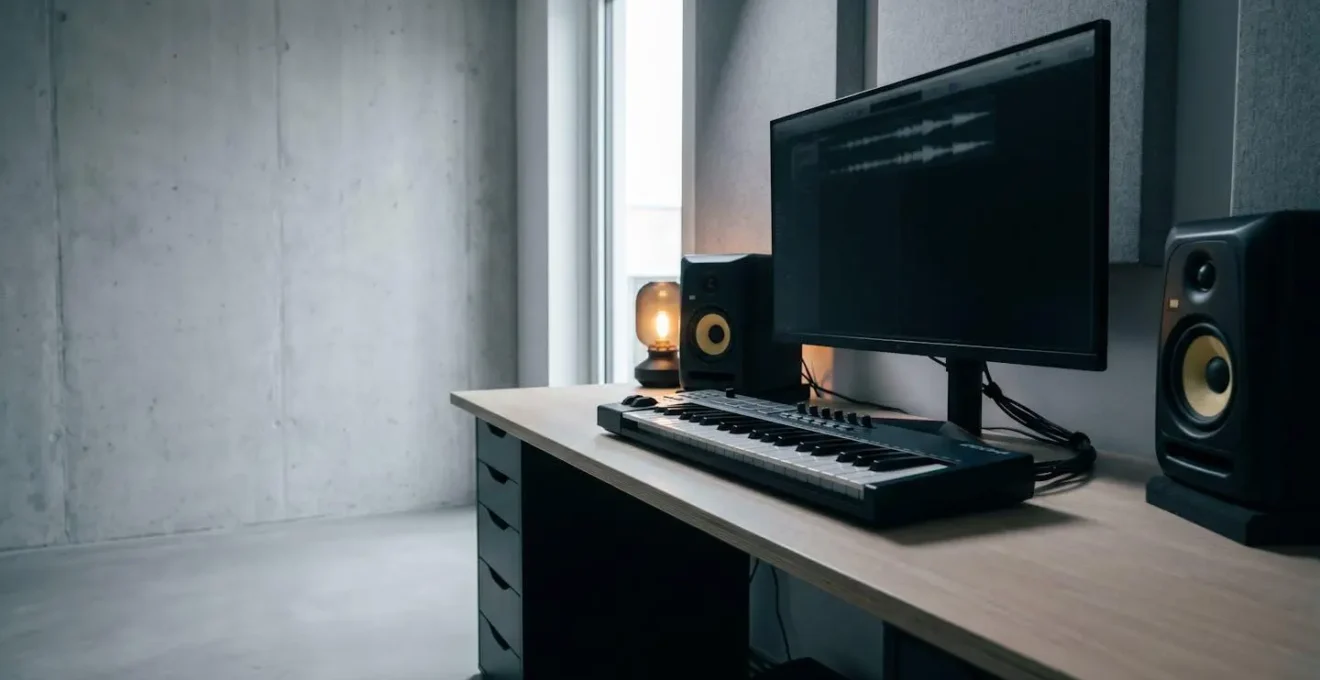
The unnerving sterility in your ‘perfect’ digital mixes doesn’t come from your plugins; it comes from a mindset focused on correction instead of creation.
- Engaging music relies on the ‘sonic friction’ of micro-imperfections in timing and pitch, which quantization actively destroys.
- True analog warmth is a cocktail of subtle, interacting instabilities (saturation, flutter, noise), not a single effect.
Recommendation: Stop trying to polish your music to perfection and start deliberately engineering the ‘controlled chaos’ and ‘happy accidents’ that make sound feel alive.
You’ve spent hours, maybe days, hunched over your DAW. You’ve meticulously arranged your parts, chosen the most acclaimed plugins, and sculpted every frequency. On paper, it’s a perfect production. The timing is grid-perfect, the tuning is flawless, and there’s not a hint of unwanted noise. Yet, when you lean back and listen, a sinking feeling emerges. It sounds clean, correct, but utterly sterile. It has no life, no soul. It feels like music made by a machine, for a machine. You’re using the same tools as the professionals, so why does their work pulse with energy while yours feels like a plastic replica?
The internet’s advice is a familiar chorus: add saturation, ‘humanize’ your MIDI, layer your synths. You’ve tried it all. You’ve bought the tape emulations and the console channel strips. You’ve nudged notes off the grid. Sometimes it helps, but often it just adds a different kind of clutter. The core problem remains, a ghost in the digital machine that no single plugin seems able to exorcise. The issue is that this advice treats symptoms, not the underlying disease.
But what if the key wasn’t in adding another layer of processing, but in fundamentally changing your approach? What if the relentless pursuit of digital perfection is the very thing strangling the life out of your music? The secret to vibrant, engaging digital productions lies not in correcting every flaw, but in understanding, emulating, and even manufacturing the beautiful imperfections that define organic sound. It’s about shifting your mindset from that of a technician to that of an artist orchestrating a form of controlled chaos.
This guide will deconstruct the core elements that give music its « human » feel. We’ll move beyond generic advice to explore the specific physical and psychological phenomena you can replicate in your DAW to breathe life back into your work. We will examine the subtle art of timing, the complex nature of synth warmth, the strategic decisions behind instrumentation, and the workflow habits that separate sterile productions from immersive sonic experiences.
Contents: The Producer’s Guide to Digital Vitality
- Why Does Perfectly Timed Music Sound Less Engaging Than Slightly Messy Performances?
- How to Make Your Digital Synths Sound Warm Without Spending £5,000 on Hardware?
- Orchestral Samples or Session Musicians: When Does Each Choice Serve Your Production?
- The Plugin Habit That Adds 40 Instances but Makes Your Mix Sound Worse
- In What Order Should You Build a Production to Stay Creative for 8 Hours?
- The Layering Mistake That Turns Your Full Mix Into a Cluttered Wall of Noise
- Why Must You Understand Subtractive Synthesis Before Moving to Other Methods?
- Why Do Your Synth Patches Sound Amateur Despite Using the Same Synths as Professionals?
Why Does Perfectly Timed Music Sound Less Engaging Than Slightly Messy Performances?
The click track is digital music’s foundational tool and its greatest tyrant. Snapping every transient perfectly to the grid creates a rhythmically coherent but emotionally vacant foundation. Human groove doesn’t live on the grid; it lives in the microscopic push and pull around it—a concept we can call ‘groove gravity’. This is the subtle tension between a performer’s internal clock and the mathematical precision of time. As a legendary producer once said, it’s about the tension that creates the feel.
As music producer Bobby Owsinski notes in his « Music Producer’s Handbook »:
A groove is created by tension against even time. That means that it doesn’t have to be perfect, just even. In fact, it makes the groove feel stiff if the performances are too perfect. This is why having perfect quantization of parts and lining up every hit in a workstation when you’re recording frequently takes the life out of a song.
– Bobby Owsinski, Music Producer’s Handbook
This isn’t about random sloppiness. Professional groove is intentional. For example, research into professional productions has quantified this. In many genres, the « swing » isn’t just a vague feeling; it’s a measurable deviation. Indeed, research on groove-based production shows that a swing setting between 22-40% is common. This creates a pocket where some notes are consistently early or late relative to the grid. The key is consistency in the imperfection. A drummer might play slightly behind the beat, or a bassist might push it slightly ahead. Your job as a digital producer is to create this dynamic interplay between your virtual instruments, assigning different ‘personalities’ to each track.

Look at the subtle variations in the image above; this is a visual metaphor for micro-timing. Instead of using 100% quantization, try quantizing to 80% strength. Better yet, manually nudge an entire MIDI track 10-15ms late to simulate a laid-back player, or program subtle velocity variations that a real performer would naturally introduce. This is the essence of creating a compelling groove: it’s not about being perfectly on time, but about being perfectly in the pocket.
How to Make Your Digital Synths Sound Warm Without Spending £5,000 on Hardware?
The word « warmth » is thrown around constantly, often as a justification for expensive analog hardware. But what is it, really? It’s not a single quality; it’s a cocktail of subtle imperfections. These are the « electrical ghosts » of analog circuitry: minute pitch fluctuations, gentle harmonic saturation, a soft high-frequency roll-off, and a non-linear response to dynamics. Simply slapping a « tape warmth » plugin on a sterile digital synth often fails because it’s a brute-force approach to a nuanced problem.
To build genuine warmth digitally, you must think like an engineer and deconstruct the phenomenon. Your goal is to create sonic friction by emulating these individual components using the stock plugins you already own. It’s about building character, layer by layer, not finding a magic preset. Here are the core components you need to address:
- Subtle Harmonic Saturation: Before a signal audibly distorts, it saturates. This adds harmonics that make a sound richer and fuller. Use a stock distortion or saturation plugin, but keep the drive incredibly low. You’re not looking for grit; you’re aiming for a gentle excitement of the sound’s overtones. Apply it in series, with several plugins each adding just 1-2% saturation, to mimic a signal passing through an analog console.
- Micro-Pitch Fluctuations: Analog tape and circuitry are not perfectly stable. This « wow and flutter » creates tiny, slow-moving variations in pitch. You can emulate this with a chorus plugin on a very subtle setting (low rate, low depth) or a dedicated tape emulation plugin. This slight instability prevents the synth from sounding static and robotic.
- Compression as a Tonal Tool: Use a compressor not just to control dynamics, but to change the synth’s tonal character. For a pad, for instance, try very fast attack and release times with 5-10 dB of constant gain reduction. This can completely reshape the envelope and tone, making it feel denser and more « solid. »
– Bit Reduction for Texture: While it seems counter-intuitive, adding a hint of vintage digital character can increase perceived warmth. Use a bitcrusher, but only to subtly reduce the bit depth (e.g., to 12-bit) and mix it in at only 5-10%. This emulates the pleasing, characterful sound of early samplers.
By combining these four techniques, you are no longer just applying an effect. You are building a complex, interacting system of controlled chaos that mimics the behaviour of real-world electronics. This is how you achieve true, believable warmth that integrates into your mix, all without spending a penny on new gear.
Orchestral Samples or Session Musicians: When Does Each Choice Serve Your Production?
The debate between using hyper-realistic orchestral sample libraries and hiring live session musicians is often framed as a battle of quality versus cost. The reality is more nuanced. It’s a strategic choice based on three factors: budget, time, and, most importantly, the creative goal. The line between real and sampled is blurrier than ever, but listeners can often perceive a difference, even subconsciously. In fact, a 2016 study published in PLOS One found that listeners had a 72.5% overall identification rate when distinguishing between real and sampled orchestral performances, suggesting a tangible, albeit subtle, difference.
Sample libraries offer unparalleled control, speed, and affordability. They are the perfect choice when you need to sketch ideas quickly, require a massive, epic sound on a tight budget, or when the orchestral part serves as a textural backdrop rather than a featured performance. The ability to endlessly tweak notes, change articulations, and perfect a performance in the MIDI editor is a powerful creative advantage, especially in pop, electronic, and film score mockups.
Case Study: Lana Del Rey’s ‘Video Games’
A prime example of samples serving creativity is the production of Lana Del Rey’s breakthrough hit. The production duo Robopop crafted the iconic, lush orchestral arrangements for ‘Video Games’ in a single six-hour session using a sample library (IK’s Miroslav Philharmonik). This rapid execution, which was central to the song’s genesis, would have been utterly impossible—both financially and logistically—with a live orchestra. It demonstrates the power of samples as a tool for immediate creative expression.
Session musicians, on the other hand, bring something samples can never truly replicate: genuine human interaction and unique interpretation. A live musician brings their own phrasing, emotion, and the subtle « sonic friction » of their instrument interacting with a real space. Choose a session musician when the part is a solo or lead line that needs to carry the emotional weight of a track, or when you need the unique interplay between multiple musicians in a small ensemble (like a string quartet). The « happy accidents » and interpretive choices of a skilled performer can elevate a track from « good » to « unforgettable. » The key is to know which tool serves your vision best for each specific part of your production.
The Plugin Habit That Adds 40 Instances but Makes Your Mix Sound Worse
In the digital world, it’s tempting to solve every problem with a plugin. Drums sound thin? Add an EQ, a compressor, a transient shaper, and a saturator. Before you know it, you have dozens of plugins running, your CPU is groaning, and your mix, paradoxically, sounds smaller and more confusing than when you started. This is the result of a destructive habit: plugin-stacking as a substitute for problem-solving. Often, what we perceive as a tonal issue (e.g., a « muddy » kick drum) is actually a fundamental phase or arrangement problem.
Phase issues are the silent killer of digital mixes. When you layer multiple sounds—or use multiple microphones on a single source like a drum kit—their waveforms can interact destructively. If the peak of one wave aligns with the trough of another, they cancel each other out, resulting in a thin, weak, or « hollow » sound. Adding an EQ to boost the missing frequencies is like trying to inflate a tyre with a hole in it. You’re just fighting a fundamental law of physics.
The professional mindset is to fix the source first. An illustrative story from a discussion on the Gearspace engineering forum highlights this perfectly. An engineer was struggling to mix a drum kit recorded by a band. No amount of EQ or compression could make it sound powerful. Frustrated, he zoomed in on the waveforms of the eight drum tracks and saw the problem: the transients from the overhead mics, close mics, and room mics were all hitting at slightly different times. He spent a few hours manually trimming and nudging the audio clips to align the core transients. The result? The drums suddenly sounded massive and punchy. He was able to remove almost all the corrective plugins, proving the issue was never tonal, but temporal.
Before you reach for another plugin, ask yourself: is this a sound problem or a relationship problem? Check the phase relationship between your kick and bass. Check the timing of your layered synths. Zoom in. Listen in mono. Often, a simple nudge of a few milliseconds or a polarity flip can do more than ten plugins ever could. This source-first approach not only saves CPU but leads to mixes that are clearer, punchier, and more powerful.
In What Order Should You Build a Production to Stay Creative for 8 Hours?
A long production session can feel like a marathon. The reason many producers burn out and end up with half-finished, lifeless projects is a flawed workflow. They either get stuck perfecting an 8-bar loop for hours (creative trap) or they try to build the entire song structure with placeholder sounds (technical trap). The secret to maintaining creative energy and momentum is not a linear process, but a cyclical workflow that alternates between right-brain (creative) and left-brain (technical) tasks.
Instead of trying to finish each step before moving on, think of your production in iterative loops. This approach keeps you moving forward and prevents you from getting bogged down in details too early. Here’s a proven model for a sustainable, creative session:
- The Spark (Creative/30-60 mins): Start with the most exciting part. This is where you focus purely on emotion. Find the core of your track—a chord progression, a vocal hook, a compelling drum groove. Build a simple 8-bar loop that captures this feeling. Do not over-produce it. Use basic sounds. The goal is to capture the emotional DNA of the song.
- The Blueprint (Structural/30 mins): Once the core loop feels right, switch to your analytical brain. Duplicate the loop and sketch out a basic song structure (e.g., Intro, Verse, Chorus, Verse, Chorus, Bridge, Outro). Use simple markers or empty regions. This gives you a map and a sense of progress without getting lost in the details.
- Fleshing Out (Technical/1-2 hours): Now, with a structure in place, go back and start replacing the placeholder sounds. This is the time for sound design, sample selection, and initial EQ/compression to make things fit. Work section by section, building up the arrangement.
- The Performance (Creative/1-2 hours): Once the core parts are in place, the track can still feel static. Now it’s time to perform. This is where you add automation. Record filter sweeps, volume swells, reverb throws, and delay feedback in real-time. Think of yourself as a conductor, adding movement and life to the static arrangement.
- Review and Refine (Analytical): Take a break. Come back with fresh ears and listen to the whole thing. Identify what’s working and what’s not. This is where you might decide a section needs a new part or the kick needs a different sample. Then, you can dive back into a specific loop (e.g., The Spark for a new bridge idea) and the cycle begins again.
By consciously switching between these modes, you prevent mental fatigue. You’re always making progress on the macro (structure) and micro (sound) levels, ensuring your initial creative spark survives the long journey to a finished track.
The Layering Mistake That Turns Your Full Mix Into a Cluttered Wall of Noise
Layering sounds is a fundamental technique for creating full and powerful productions. However, it’s also one of the easiest ways to create a cluttered, muddy mess. The common mistake is layering sounds that occupy the same key frequencies without a clear purpose. Piling three bass synths or four kick drums on top of each other doesn’t automatically create a bigger sound; more often than not, it creates phase cancellation and a « wall of noise » where no single element can be clearly identified.
The professional approach to layering is to think like a chef creating a sauce: each ingredient must have a specific role and contribute a unique quality to the final flavour. When layering, especially in the crucial low-end, every layer needs a job. For example, when creating a powerful bass sound, you might use:
- Layer 1 (The Weight): A simple sine wave, low-passed at around 80-100Hz. Its job is purely to provide sub-bass foundation and be felt on big systems.
- Layer 2 (The Growl): A saw or square wave, high-passed at 100Hz. This layer provides the mid-range harmonics, the character, and the part of the bass that is audible on smaller speakers like laptops and phones.
- Layer 3 (The Click): A short, percussive noise or a heavily processed synth pluck, high-passed at 1-2kHz. Its only job is to define the attack of the note, helping it cut through the mix.
When layered, these three sounds create one cohesive, powerful bass that works across all speaker systems. The key is the use of filtering (EQ) to give each layer its own dedicated space in the frequency spectrum. This principle applies to pads, leads, and drums. Before you add a layer, ask yourself: « What specific job is this layer doing that the others are not? » If you don’t have a clear answer, you’re probably just adding mud.
Action Plan: Auditing Your Low-End Phase Coherency
- Visualise the Relationship: Add a phase correlation meter plugin to your master bus. This will give you visual feedback as you work, with a reading closer to +1 indicating good phase coherence and readings near -1 indicating problems.
- Prepare for Nudging: Set your DAW’s nudge value to a very small increment, typically 1 to 5 samples. This will allow for the micro-adjustments needed for phase alignment.
- Isolate and Listen: Solo your primary low-frequency elements (e.g., your kick drum and your sub-bass layer) and play them together. Watch the phase meter and listen intently.
- Nudge and Evaluate: Begin nudging one of the tracks forward or backward in tiny increments on the timeline. As you nudge, listen for changes in the combined sound.
- Confirm the Sweet Spot: You’ll know you’re improving the phase alignment when the combined sound becomes noticeably stronger, fuller, and more defined. The phase meter should also move towards +1. When you’ve found the point of maximum impact, you’ve aligned the phase.
Why Must You Understand Subtractive Synthesis Before Moving to Other Methods?
In a world of complex wavetable, FM, and granular synthesizers, focusing on subtractive synthesis can seem dated. But ignoring it is like trying to write a novel without understanding basic grammar. Subtractive synthesis is the universal language of sound design. It teaches you the « first principles » of how sound is shaped, a mental model that is applicable across almost any synthesizer, plugin or hardware.
At its core, subtractive synthesis is incredibly simple and intuitive. It mimics how acoustic instruments work in the real world. You start with a complex, harmonically rich sound source (the oscillator) and then, just like a sculptor carving a block of marble, you remove parts of it to create your final shape. This process has three fundamental stages:
- The Source (Oscillator – VCO): You begin with a raw, harmonically rich waveform, like a saw wave or a square wave. This is your block of marble. It contains all the potential frequencies for your sound.
- The Shaper (Filter – VCF): This is your chisel. You use a filter, most commonly a low-pass filter, to cut away unwanted frequencies. Sweeping the filter’s cutoff frequency is what gives a synth sound its characteristic movement and expression.
- The Control (Amplifier – VCA): This is your volume control, but it’s shaped by an envelope (ADSR – Attack, Decay, Sustain, Release). This determines how the volume of your sound evolves over time, defining whether it’s a short, plucky sound or a long, swelling pad.
Mastering this simple Oscillator -> Filter -> Amp signal path forces you to think critically about sound. You learn to listen for harmonics, to feel the effect of a filter’s resonance, and to shape dynamics with an envelope. This knowledge is not just theoretical; it’s foundational. When you move to a complex wavetable synth, you’ll understand that the « wavetable position » is just a more advanced oscillator. When you use an FM synth, you’ll recognise that you’re creating harmonics rather than subtracting them, but the goal of shaping timbre remains the same. Understanding subtractive synthesis doesn’t just teach you how to use one type of synth; it teaches you how to think like a sound designer.
Key Takeaways
- Embrace ‘controlled chaos’ and engineered imperfection over robotic precision.
- Think like a physicist: deconstruct and emulate real-world sonic phenomena like saturation, flutter, and phase relationships.
- Solve problems at the source (timing, phase, arrangement) before reaching for a chain of corrective plugins.
Why Do Your Synth Patches Sound Amateur Despite Using the Same Synths as Professionals?
You’ve done it. You’ve mastered subtractive synthesis, you’ve deconstructed warmth, and you’ve even bought the exact same VST synthesizer used on your favourite records. You load up a promising preset, or build a patch from scratch, and it sounds… okay. But when you hear it in a professional track, it soars. It breathes. It evolves. The difference, and the final piece of the puzzle, is almost always one thing: performance. Amateur synth patches are static; professional patches are alive with modulation.
Most synth presets are designed to sound impressive in isolation, with all the effects baked in. But they are not designed to be played. A professional producer thinks of a synth patch not as a final sound, but as an interactive instrument. The raw tone is just the starting point. The real magic happens when that tone is manipulated in real-time through modulation. This is Performance-Driven Sound Design.

Instead of just programming in MIDI notes, pros are performing. They are connecting the velocity of their keyboard to the filter cutoff, so playing harder makes the sound brighter. They are assigning the mod wheel to control the rate of an LFO, allowing them to manually introduce vibrato or tremolo with expressive timing. They are using aftertouch to open up a reverb or delay send, adding space only to the notes they lean into. Most importantly, they are using automation as a final performance layer. A simple pad can be transformed by automating a slow, 16-bar filter sweep that builds tension across a verse, or by automating the decay time of the amp envelope to make a riff more staccato in one section and more legato in another.
This is why your patches sound amateur. You are programming a static object, while pros are conducting a dynamic performance. The solution is to stop thinking of your synth as a sound module and start thinking of it as an instrument. Map your MIDI controller’s knobs and faders to interesting parameters. Practice « playing » the filter, the resonance, and the effects. Record your automations by hand instead of drawing them with a mouse. It is this human, often imperfect, interaction with the parameters of the synth that transforms a sterile patch into a living, breathing part of your music.
Start today. Load up your favourite synth, assign the filter cutoff to a knob on your controller, and record a long automation pass over your track. Don’t try to make it perfect; try to make it feel right. This is the final step in closing the gap between your productions and those of the professionals you admire.