Spending 10 hours on a track professionals finish in 2 isn’t about your talent or your DAW—it’s about a broken production system that creates friction and decision fatigue.
- True speed comes from building efficient systems (lean templates, task-specific workflows) that reduce cognitive load, not just from learning more plugins.
- Pros focus on mastering the ‘invisible 90%’ of production: superior source selection, gain staging, and intentional constraints that tutorials never show.
Recommendation: Stop chasing new software and start auditing your process. The biggest time-savers are found in how you manage your energy and decisions, not your VST folder.
If you’ve ever found yourself staring at a screen at 3 AM, endlessly tweaking a synth patch while the core idea of your track dissolves into a distant memory, you’re not alone. Many UK producers feel this frustration, trapped in a cycle where a promising loop takes ten hours to become a mediocre arrangement. The common advice is predictable: learn more shortcuts, buy a faster computer, or switch to the ‘pro’ DAW you see on YouTube. You’ve likely tried it all, yet the clock still runs out long before your creativity does.
The truth is, the problem isn’t a lack of tools or technical skill. The problem is the absence of a system. Professional producers don’t just know their DAW better; they have meticulously designed workflows that eliminate friction, reduce cognitive load, and protect their creative energy. They understand that a fast workflow isn’t about clicking faster, but about thinking less about the process and more about the music. They’ve built intentional constraints and muscle memory that guide them from idea to finished track with minimal wasted effort.
But if the secret isn’t in the software, where is it? The key lies in shifting your focus from the DAW itself to your personal production system. It’s about understanding the ‘why’ behind the ‘how’. It’s about separating the distinct roles of composer, sound designer, and mixer, and building lean, purpose-built environments for each task. This approach prevents the decision fatigue that kills momentum and turns a creative session into a technical chore.
This guide will deconstruct that professional system. We won’t just list more shortcuts to memorise. Instead, we will explore the core principles that enable speed, from mastering high-impact features and building minimalist templates to structuring your entire session for peak creativity. Prepare to stop fighting your tools and start building a workflow that finally lets your ideas flow freely.
To navigate this deep dive into production efficiency, we’ve structured the article to address the most critical workflow bottlenecks. The following sections will guide you through building a truly professional production system, from foundational mindset shifts to specific technical masteries.
Summary: The Professional DAW System: How to Cut Your Production Time in Half
- Why Switching DAWs Won’t Fix Your Production Problems?
- How to Halve Your Production Time by Mastering 20 Keyboard Shortcuts?
- Logic, Ableton or Pro Tools: Which DAW Suits Your Genre Best?
- The Template Mistake That Makes Your DAW Slow and Your Mind Overwhelmed
- Which DAW Features Should You Master First for Immediate Production Impact?
- In What Order Should You Build a Production to Stay Creative for 8 Hours?
- How to Set Your Buffer So You Can Record Without Hearing Delay?
- Why Does Your Production Sound Amateur Despite Following Professional Tutorials?
Why Switching DAWs Won’t Fix Your Production Problems?
The belief that a new piece of software will magically solve all your workflow issues is a common and expensive trap. You see a top producer using Ableton Live for its improvisational flow, and you convince yourself that’s the missing piece. Then you see a mixing engineer rave about Pro Tools, and the cycle repeats. The reality is that your creative blocks, slow decision-making, and organisational chaos are habits, and you will carry them with you to any new platform. The core problem isn’t the feature set; it’s the lack of a personal production system.
In fact, the professional world is far from standardised on a single platform. Industry analysis shows that nearly 50% of professional musicians juggle multiple DAW platforms, choosing the best tool for a specific task—one for composition, another for mixing, and perhaps a third for live performance. This proves that efficiency comes from the user’s mastery of a system, not the inherent superiority of one DAW. A disorganised producer will create disorganised sessions in Logic Pro just as easily as they will in FL Studio. The software is a vehicle; it will only go where you steer it.
Instead of investing time and money into learning a new DAW’s entire ecosystem from scratch, first analyse the friction points in your current workflow. Are you spending ages searching for samples? That’s a file organisation problem. Are you rebuilding the same effects chains in every project? That’s a template problem. These are systemic issues, not software deficiencies. As the production team at LANDR wisely points out:
Many producers learn more than one DAW to stay flexible for different projects and collaborators. That said, your main DAW should feel comfortable for your workflow and shouldn’t get in the way of your creativity.
– LANDR Production Team, Logic vs. Ableton: The Ultimate DAW Comparison
Before you blame the tool, commit to mastering the system. By diagnosing the root causes of your slowdowns in the DAW you already know, you can build a robust workflow that will be transferable to any software you might choose to use in the future. True speed is a skill, not a purchase.
How to Halve Your Production Time by Mastering 20 Keyboard Shortcuts?
Being told to « learn shortcuts » is a platitude. The professional approach isn’t about memorising a PDF of 200 commands; it’s about identifying the 20 actions you perform 80% of the time and transforming them into pure muscle memory. This isn’t just about saving a few seconds per action. It’s about eliminating the « cognitive hop » of switching from a creative mindset (what sound do I want?) to a technical one (where is that menu item?). Each time you reach for the mouse to perform a basic function like duplicating a clip or splitting a region, you’re breaking your creative flow. The goal is for your hands to execute your musical intention without conscious thought.
Think of it like learning a musical instrument. You don’t think about which finger goes on which fret to play a G chord; you just play it. Your DAW is your instrument, and shortcuts are its fundamental techniques. The key is to practice them with the same intention. Don’t just use them when you remember; set aside five minutes before each session for « shortcut drills. » Perform a specific task, like creating a four-bar drum loop or comping a vocal take, using only the keyboard. This deliberate practice is what separates amateurs from pros. It’s this fluency that allows a professional to capture an idea, arrange it, and edit it before the inspiration fades.
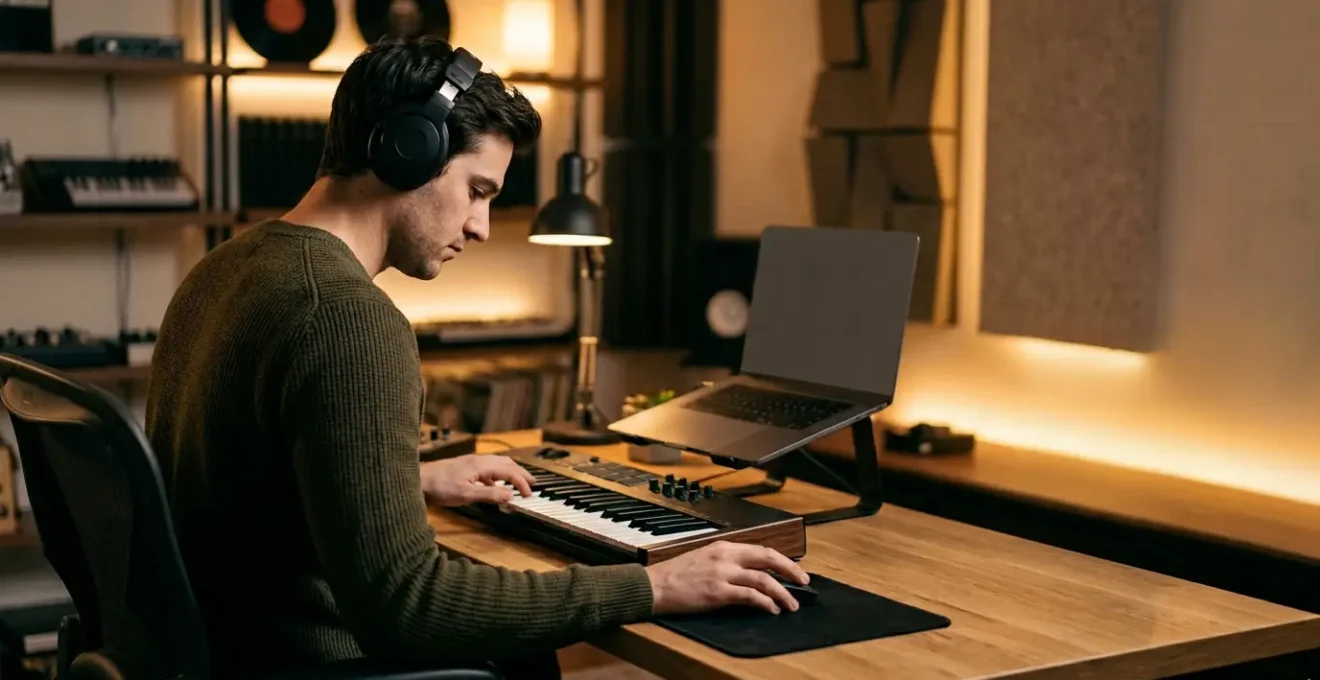
This image of a producer’s hands in motion captures the essence of this fluency. It’s not about the specific keys, but the speed and precision that come from deeply ingrained muscle memory, allowing the technology to become an extension of their creative thoughts.

This level of command transforms your relationship with the software. The DAW ceases to be a series of menus and windows and becomes a responsive, tactile instrument. The 20 shortcuts that form the bedrock of your workflow will be unique to you, but they will all share a common purpose: to keep you in a state of creative flow by making the technology disappear.
Logic, Ableton or Pro Tools: Which DAW Suits Your Genre Best?
Asking which DAW is « best » is like asking which paintbrush is best. The answer depends entirely on your creative philosophy and the kind of art you want to make. While all major DAWs can achieve the same end result, their core design philosophies guide you down different creative paths. Choosing the right one is less about genre and more about aligning the software’s workflow with your natural thought process. A recent survey from Production Expert’s 2024 DAW User Survey shows a diverse landscape, with Pro Tools, Logic Pro, and Ableton Live as the top three, proving no single platform has a monopoly on professional use.
The key is to understand each DAW’s inherent bias. Ableton Live, with its non-linear Session View, is built for improvisation and rapid, loop-based sketching. It encourages you to think like a live performer, throwing ideas at the wall and discovering arrangements organically. Logic Pro, by contrast, embodies a more traditional, linear approach. Its comprehensive toolset and powerful MIDI editor excel in detailed composition and arrangement, making it feel like a composer’s studio. Pro Tools has its roots firmly in the world of audio engineering. Its grid-based precision and robust recording and editing features make it the industry standard for tracking bands and post-production, where accuracy is paramount.
The following comparison breaks down these philosophical differences. It’s not about which has more features, but which creative process feels most like your own.
| DAW | Core Workflow Philosophy | Ideal Creative Process | Primary Strength |
|---|---|---|---|
| Ableton Live | Improvisational & Loop-Based | Non-linear Session View for on-the-fly composition and live performance | Rapid sketching, electronic production, real-time audio manipulation with minimal artifacts |
| Logic Pro | Linear & Compositional | Traditional timeline-based arrangement with comprehensive editing tools | Complex multi-track productions, detailed MIDI editing, large-scale orchestral projects |
| Pro Tools | Audio-Centric & Post-Production | Grid-based timeline for precision editing and professional recording | Multitrack recording, comping, seamless hardware integration, industry-standard mixing |
Ultimately, the right DAW is the one that becomes invisible, allowing the most direct path from the idea in your head to the sound from your speakers. Don’t choose based on what’s popular or what your favourite producer uses. Choose the one that speaks your creative language. Once you’ve made that choice, commit to mastering its system, rather than constantly wondering if the grass is greener on another platform.
The Template Mistake That Makes Your DAW Slow and Your Mind Overwhelmed
The concept of a DAW template is sold as the ultimate time-saver, and it can be. However, the most common mistake producers make is creating a single, monolithic « master template » loaded with every conceivable instrument, bus, and plugin they might ever need. This « do-it-all » template, intended to create speed, actually introduces massive friction. It slows down your DAW’s loading time, clutters your screen with dozens of unused tracks, and, most importantly, induces decision fatigue before you’ve even recorded a single note.
The professional solution is to abandon the master template in favour of multiple, lean, task-specific templates. A songwriter sketching out a chord progression doesn’t need 32 channels of drum buses and parallel compression. They need a piano, a metronome, and perhaps a vocal mic channel. The goal of a template isn’t to pre-load your entire studio; it’s to create a frictionless environment for a specific task. As the MasteringBox team notes, this is not a one-size-fits-all approach: « A heavy rock production might need a large drum setup… while an electronic pop template might rely more on software instruments… Tailor each template to the style of music. »
By creating separate templates for ‘Songwriting’, ‘Drum Programming’, ‘Vocal Recording’, and ‘Mixing Prep’, you present yourself only with the tools relevant to the job at hand. This intentional constraint is liberating. It removes distractions, focuses your mind, and allows you to move at the speed of your creativity. Auditing your own projects is the first step to building these lean systems. Identify the tools and routing you consistently use for each phase of production and build your templates around that 80/20 reality, not a hypothetical « what if » scenario.
Your Action Plan: Conducting a Lean Template Audit
- Points of Contact: Open your last 5 finished projects. List every single plugin, bus, and virtual instrument you used in a spreadsheet.
- Collect & Identify: Go through your list and star the « 80% elements »—the tools and signal chains that appear in at least 4 out of the 5 projects. These are your true workhorses.
- Coherence Check: Group these core elements by production task. What do you always use for writing chords? What’s your go-to vocal chain? This reveals your natural workflow patterns.
- Memorability & Emotion: Notice the « one-off » plugins you used once. These are creative sparks, not systemic tools. They do NOT belong in a template, which should be about repeatable structure, not novelty.
- Plan for Integration: Build new, lean templates based on your findings: a ‘Songwriting’ template with just your main piano/synth, a ‘Mixing’ template with only your core buses and EQs, etc. Delete the old, bloated master template.
–
This minimalist approach ensures that when inspiration for a melody strikes, you can open a template and be recording in seconds, without being distracted by a hundred other options. Your mind stays clear, and your DAW stays fast.
Which DAW Features Should You Master First for Immediate Production Impact?
Every modern DAW is a universe of features, and trying to learn them all is a direct path to overwhelm and creative paralysis. The professional mindset applies the 80/20 principle: master the 20% of features that will deliver 80% of your results. These aren’t the flashy new synth engines or AI-powered mixing tools. They are the humble, often-overlooked functions that form the bedrock of a clean, dynamic, and efficient workflow. Mastering these core utilities first provides an immediate and dramatic impact on the quality and speed of your productions.
Forget about learning a third-party parallel compression plugin and instead master your DAW’s native Clip Gain (or Region Gain). This single feature, used to manually level out the volume of audio clips *before* they hit any plugins, is one of the biggest differentiators between amateur and professional mixes. It allows you to do the heavy lifting of dynamic control transparently, so your compressors have less work to do and can be used for colour and character rather than as blunt instruments. This one step results in more natural, dynamic, and punchy tracks.
Similarly, instead of chasing the « perfect » mastering plugin, learn to use your DAW’s basic stock limiter as a simple loudness-matching tool on your master bus. This isn’t for making your track loud for release; it’s a diagnostic tool that allows you to make objective A/B comparisons between a quiet new sound and your loud, existing mix. It solves the « louder is better » bias that tricks our ears and leads to poor mixing decisions. The key is to focus on features that enable better decisions and cleaner signal flow. Here are three high-impact areas to focus on this week:
- Master Clip Gain/Region Gain: Use this feature to level out performances before compression. This is the secret to natural, dynamic mixes and reduces your reliance on heavy-handed processing.
- Master Your Stock Limiter for Loudness-Matching: Place your DAW’s basic limiter on the master bus (purely as a level-matching tool) to make objective A/B comparisons between your new sounds and existing tracks, bypassing the « louder is better » bias.
- Master Freeze/Flatten/Commit Features: Force creative commitment by removing endless tweaking options. In Ableton use Freeze/Flatten, in Pro Tools use Commit. This psychological constraint, an intentional limitation, pushes you to make decisions and move forward faster.
By prioritising these foundational features, you build a solid production system from the ground up. You spend less time fixing problems and more time being creative, leading to better-sounding music made in a fraction of the time.
In What Order Should You Build a Production to Stay Creative for 8 Hours?
The most common reason a production session grinds to a halt after two hours is a failure to manage creative energy. Producers burn out by trying to be a composer, a sound designer, an arranger, and a mixing engineer all at the same time. This constant context-switching fragments your focus and drains your cognitive resources. The professional secret to sustained creativity over a long session isn’t time management; it’s energy management, achieved by wearing different « hats » in distinct, dedicated blocks of time.
Energy Management Over Time Management in Extended Sessions
This principle is supported by research far beyond the studio. An analysis of 218,900 knowledge workers revealed a counterintuitive finding: as the average workday shortened, productive output actually increased. This demonstrates that shorter, more focused work periods generate superior results compared to extended marathon sessions. For music producers, this validates the strategy of implementing strict creative blocks with mandatory breaks. You will finish more music by respecting your brain’s natural energy rhythms rather than by forcing an 8-hour grind.
The « Separate Hats Principle » provides a clear structure for this. You dedicate a 90-minute block to a single task, forbidding yourself from touching any other aspect of the production. This intentional constraint is incredibly powerful. During your « Composer Hat » block, you are not allowed to search for the perfect kick drum. During your « Sound Designer Hat » block, you are not allowed to change the chord progression. This compartmentalisation allows you to achieve a deep state of flow in each specific task, leading to better results in less time. Just as important are the mandatory breaks, which reset your ears and mind, preventing the fatigue that leads to bad decisions.
A structured session could look like this:
- Block 1 (0-90min): Composer Hat – Focus exclusively on chords, melody, and basic song structure. No sound design or effects.
- Break (15min): Step away from the screen completely. This is non-negotiable.
- Block 2 (90-180min): Sound Designer Hat – Now, refine timbres, design patches, and layer sounds. Do not change the composition.
- Break (15min): Move around, get away from the studio to maintain focus.
- Block 3 (180-270min): Arranger Hat – Build dynamics, create transitions, and structure the song’s journey. Resist the urge to tweak sounds.
- Extended Break (30min): Listen to reference tracks at low volume or take a complete silence break to prevent ear fatigue.
- Block 4 (270-360min): Mixer Hat – Only now do you focus on volume balancing, panning, and basic EQ/compression.
By adopting this disciplined approach, you replace chaotic multitasking with a series of focused sprints. This not only preserves your creative energy for the full day but ensures that each stage of the production process receives your full, undivided attention.
How to Set Your Buffer So You Can Record Without Hearing Delay?
Latency—that infuriating delay between playing a note and hearing the sound—can kill the feel of a performance and bring a recording session to a standstill. The buffer size setting in your DAW is the primary control for this, representing a direct trade-off: a low buffer size (e.g., 64 or 128 samples) means low latency, which is essential for real-time tracking, but it puts high strain on your CPU. A high buffer size (e.g., 1024 or 2048 samples) gives your CPU plenty of breathing room to handle heavy plugin loads but makes real-time recording impossible due to significant delay.
The amateur mistake is to find one « set-it-and-forget-it » buffer size and stick with it, compromising both recording and mixing. The professional workflow is a dynamic, two-step process: you actively change the buffer size depending on the task at hand. There is a time for low latency and a time for high CPU power, and they are rarely the same moment.
However, even this is only part of the story. As the Gearnews team highlights, a true pro-level solution often involves bypassing the computer’s processing altogether for monitoring. The most robust solution is to use the « direct monitoring » feature on your audio interface. This sends the input signal (your microphone or guitar) directly to your headphones before it even goes to the computer, resulting in true zero-latency monitoring for the performer. This makes the DAW’s buffer setting less critical for performer comfort during recording, giving you more flexibility.
The complete professional workflow for managing latency involves a combination of DAW settings and hardware knowledge:
- Recording/Tracking Phase: Set buffer to 64 or 128 samples maximum. This is for minimum input latency when responsiveness is critical for the performer.
- Mixing/Producing Phase: Immediately switch buffer to 1024 or 2048 samples. This maximizes CPU power for heavy plugin chains when you are no longer tracking live inputs.
- Enable Direct Monitoring: Use your audio interface’s hardware feature to provide a zero-latency signal to the performer, bypassing the computer entirely for monitoring purposes.
- Watch Your CPU Meter: Clicks, pops, and crackles are your DAW’s way of telling you the buffer is too low for the current CPU load. This is a clear sign you need to increase it.
- Optimise Your Drivers: Ensure you are using the dedicated ASIO driver (on Windows) for your interface, as this provides the most efficient connection between your hardware and software.
By adopting this task-based approach to buffer management, you eliminate latency as a creative barrier and ensure your system is always optimised for the specific job you’re doing.
Key takeaways
- Your DAW is a tool, not the source of your problems. A slow workflow is a system issue, not a software issue.
- Adopt a « Separate Hats » mentality: dedicate focused blocks of time to composing, sound designing, and mixing to conserve creative energy.
- Build lean, task-specific templates instead of a single bloated one to reduce cognitive load and speed up your start time.
Why Does Your Production Sound Amateur Despite Following Professional Tutorials?
This is perhaps the most painful question in music production. You’ve spent hours meticulously following a YouTube tutorial. You’ve copied the exact EQ curves, the precise compressor settings, and the same reverb chain, yet your track sounds flat and lifeless, while the one in the video sounds polished and powerful. The reason is that tutorials only show you the final 10% of the process—the visible, easily-explained processing. The professional sound you’re chasing is actually created in the « invisible 90% » that happens long before any plugins are loaded.
The Invisible 90%: Why Tutorial Results Don’t Transfer
The « secret » is not in the plugin settings; it’s in the quality of the source material. As analysis from LANDR on professional templates reveals, the foundation of a pro track is built on elements never shown in a 10-minute tutorial. This includes: superior sample selection from curated, career-long libraries; meticulous gain staging on every channel to ensure optimal levels; hundreds of micro A/B comparison decisions that ensure each small adjustment genuinely improves the mix; and extensive, tedious audio cleanup like de-breathing vocals, shaping transients, and ensuring phase alignment between layered sounds. When amateurs apply the « 10% » processing techniques to mediocre source material, the results will always be amateur, regardless of how closely they follow instructions.
The LANDR Blog Editorial Team puts it perfectly: « The tutorial’s EQ trick works because their source sound was already great. A tutorial shows a technique in isolation. A pro applies that same technique based on the context of the entire track. » This is the critical distinction. An amateur asks, « What settings should I use? » A professional asks, « What does this specific sound need in the context of this specific mix? » The answer to the second question can only be found through critical listening and a deep understanding of foundational principles, not a preset.
Therefore, to break through this plateau, you must shift your focus away from chasing processing tricks and towards strengthening your foundation. Spend more time on sound selection—if a sample isn’t 90% perfect before you touch it, find another one. Make gain staging a non-negotiable first step in every mix. Practice critical listening by A/B testing every move you make. It’s the disciplined, unglamorous work of the « invisible 90% » that separates the amateurs from the pros and ultimately makes your productions sound professional.
Now that you understand the systemic nature of an efficient workflow, from mindset to technical execution, the next logical step is to put it into practice. Stop chasing plugin tutorials and start auditing your own process. Build your lean templates, practice your shortcut drills, and start managing your creative energy with intention. This is how you close the gap between the 10-hour struggle and the 2-hour professional finish.